Window Display Model Interactive Options: Touch, Phased Lighting, Area Highlighting, and Multimedia
Interactive window display model options change how a physical architectural presentation communicates with viewers. Touch control lets audiences explore selected content on demand. Phased lighting reveals project stages in sequence. Area highlighting directs attention to specific buildings, roads, or landscape zones. Multimedia linkage connects the physical model to digital screens or audio systems. Each option serves a different presentation goal, and the right choice depends on where the model will be displayed and how it needs to perform over time.
This comparison guide explains what each interactive option does, when it fits sales centers, exhibitions, or showroom windows, and how it supports project display goals. The comparison is grounded in JYD Models' customization capabilities, including LED lighting for buildings, roads, landscape, and zoning display; scale range from 1:50 to 1:500; and materials such as acrylic, ABS, PVC board, resin, wood, metal, and transparent sheet.
Problem Definition: Why Static Displays Limit Project Communication
A static scale model presents the same information to every viewer, regardless of what they need to understand. In a sales center, buyers may want to see apartment orientation, landscape design, or the relationship between buildings and roads. In an exhibition, visitors may need to understand master plan structure, transportation systems, or key project values. A static model cannot adjust its emphasis to match each audience.
This limitation leads to three common problems:
- Repeated explanations: Sales staff must verbally describe what each zone represents, because the model alone does not make the project story clear.
- Lost attention: In a busy showroom or exhibition, visitors may only look at a model for a short time unless something draws their attention to specific details.
- Inflexible presentations: A single model must serve different purposes across its display life — project launch, investor meetings, multi-city tours, and long-term showroom placement.
Interactive options address these problems by making the model respond to specific presentation needs. The physical architectural scale model remains the center of the display, but its lighting and control functions can change what the audience notices and how long they engage with the project.
Industry Background: Physical Models in a Digital-Display Market
The architectural services market, which drives demand for physical window display models, reached USD 411.7 billion in 2025. Asia Pacific dominated this market with a 37.4% revenue share, while North America contributed 28.5%, valued at USD 113.66 billion in the same period.
At the same time, digital services (BIM and 3D modeling) held a 47.2% share of the AEC services market in 2025, indicating a shift toward digital-physical hybrid visualization. This trend does not replace physical models — it changes what buyers expect from them. A physical model that integrates interactive functions can work alongside digital presentations, giving audiences a spatial understanding that renders and screens cannot provide alone.
LED lighting systems are now a standard requirement in architectural models for highlighting specific areas or night scenes. The interactive layer — touch control, phased lighting, area highlighting, and multimedia linkage — extends this foundation into a more flexible presentation tool. For buyers evaluating window display models, the question is no longer whether to include lighting, but which interactive combination fits the project's display goals and long-term use.
Detailed Solution: The Four Interactive Options Explained
JYD Models customizes interactive options according to project requirements. The company produces architectural scale models at scales from 1:50 to 1:500, using materials including acrylic, ABS, PVC board, resin, wood, metal, and transparent sheet. LED lighting can be customized for buildings, roads, landscape, and zoning display. The four interactive options below can be combined or used individually, depending on the display scenario and project objectives.
1. Touch Control
Touch control allows viewers to trigger specific displays or information by interacting with a touch panel connected to the model. In a sales center, a buyer can select a building or zone and see its corresponding lighting or display response. In an exhibition, visitors can explore different aspects of a master plan at their own pace.
What it does: Translates viewer input into a model response, such as lighting a specific building, highlighting a route, or displaying related information on an integrated screen.
Best for: Sales centers with high interaction needs, exhibition booths where visitors explore independently, and showrooms that present complex multi-building projects.
Consideration: Touch panels require clear placement and simple interface design. If the touch function is not intuitive, viewers may not use it. The interaction should be designed around the questions viewers actually ask during presentations.
2. Phased Lighting
Phased lighting lights up different project phases in sequence. For a multi-phase residential or commercial development, this option shows how the project will be built and delivered over time. Instead of presenting all buildings at once, the model can reveal Phase 1, then Phase 2, and so on, helping viewers understand construction sequence and project growth.
What it does: Controls LED zones to illuminate in a programmed sequence that matches the actual project phasing.
Best for: Multi-phase residential developments, commercial complexes with staged delivery, and urban planning projects that show development over multiple periods.
Consideration: The lighting sequence must match the actual phase boundaries confirmed in project drawings. If the phasing plan changes, the lighting program needs to be updated accordingly.
3. Area Highlighting
Area highlighting uses LED lighting to direct attention to specific zones within the model — a key building, a landscape feature, a road network, or a public facility. This option is useful when the project has a clear focal point that needs emphasis during presentations.
What it does: Activates LED lighting in defined zones to draw attention to specific model areas.
Best for: Projects with a signature building or landscape feature, sales centers that need to emphasize specific selling points, and exhibitions where visitors should notice particular project elements.
Consideration: Area highlighting requires precise LED zoning planning during production. The zones should be defined according to the presentation priorities confirmed with the client before production begins.
4. Multimedia Linkage
Multimedia linkage connects the physical model to digital content — video screens, audio narration, or projection systems. When a viewer selects a zone or when the lighting sequence reaches a specific phase, the multimedia system can display related content, such as project renderings, construction progress, or design concepts.
What it does: Synchronizes the physical model with digital displays or audio to provide additional information beyond what the model alone can show.
Best for: Exhibition halls, museums, investor presentations, and corporate showrooms where the model is part of a larger presentation environment.
Consideration: Multimedia linkage requires coordination between the model's lighting control system and the external display or audio equipment. The integration should be planned during the model design stage, not added after production.
Step-by-Step Breakdown: Choosing the Right Interactive Option
Selecting interactive options for a window display model follows a practical sequence. The goal is to match the option to the project's presentation needs and long-term display conditions.
Step 1: Define the Display Goal
Start by identifying what the model needs to communicate. A sales center model may need to show apartment orientation and landscape design. An exhibition model may need to explain master plan structure and transportation systems. A showroom window model may need to attract attention and communicate a project's key value quickly. The display goal determines which interactive option is most relevant.
Step 2: Match the Option to the Audience
Different audiences interact with models in different ways. Sales staff need tools to explain project details to buyers. Exhibition visitors explore independently and need clear visual cues. Investors need to understand project scale and phasing. Match the interactive option to how the audience will actually use the model.
Step 3: Confirm Technical Requirements
Each interactive option has technical requirements that affect model design and production. Touch control needs a panel interface and control system. Phased lighting needs programmable LED zones. Area highlighting needs precise lighting zone definitions. Multimedia linkage needs coordination with external displays. These requirements should be confirmed before production begins.
Step 4: Plan for Long-Term Maintenance
Interactive functions add long-term maintenance considerations. LED lighting systems, touch panels, and control equipment need protection and periodic checking. For long-term display, acrylic covers, modular structure, and stable LED systems can reduce maintenance difficulty. Planning for maintenance during the design stage helps avoid problems after installation.
Use Cases: Matching Interactive Options to Project Types
Sales Centers and Showrooms
In sales centers, the model is a primary communication tool. Touch control allows sales staff to guide buyers through different project aspects. Area highlighting draws attention to key selling points such as landscape design, building orientation, or public facilities. A residential project with multiple buildings benefits from the ability to focus attention on specific units or zones during discussions.

Exhibitions and Trade Shows
Exhibition models must attract attention and communicate quickly. Phased lighting reveals project development sequence, which is useful for large-scale master plans. Multimedia linkage can present additional project information when visitors spend more time at the booth. For exhibitions with high visitor traffic, the model should be easy to understand without requiring staff explanation.
Showroom Windows and Retail Displays
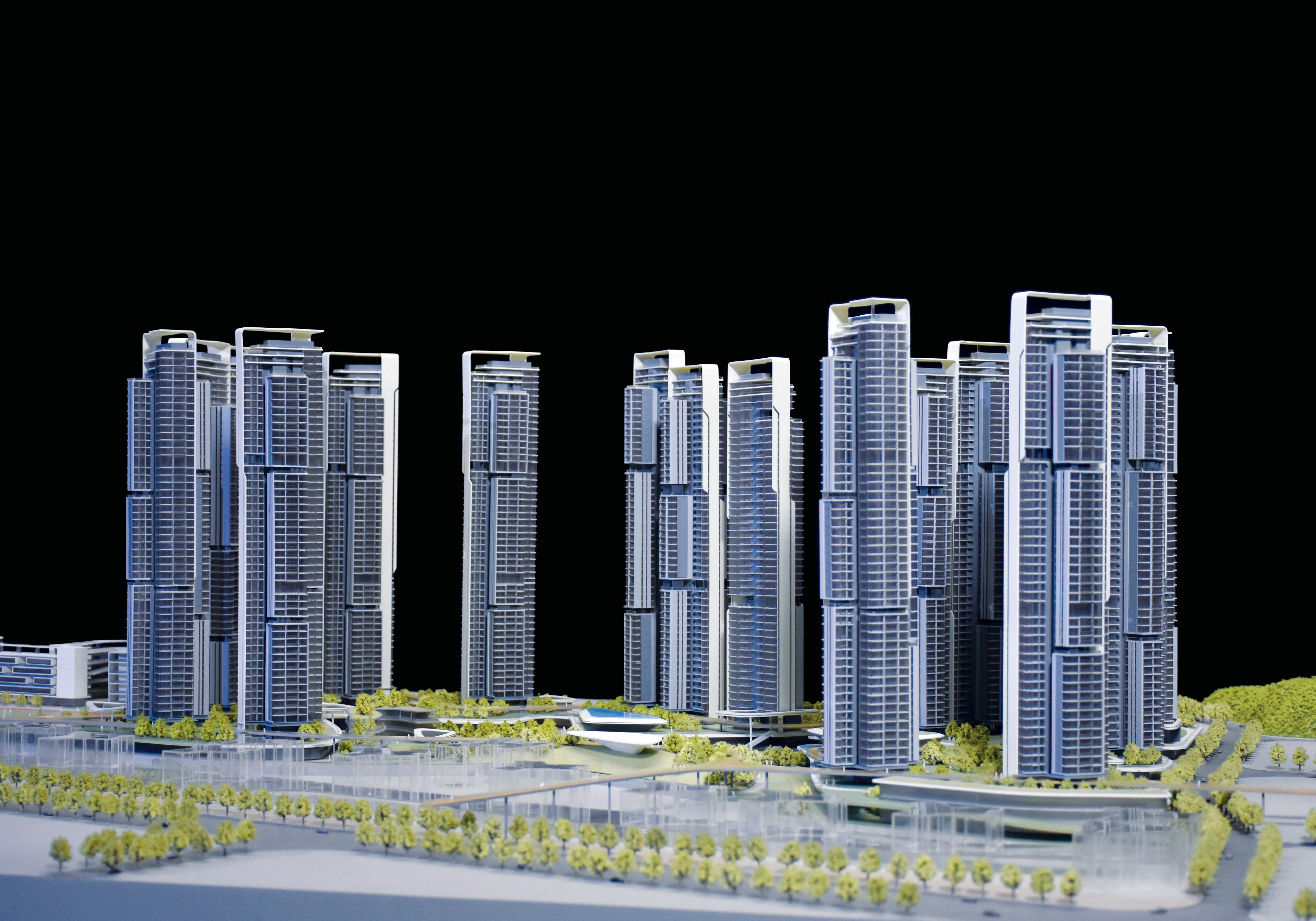
Window display models are viewed from outside, often by people who are passing by. Area highlighting and phased lighting can draw attention through the window and communicate project scale or key features. The model design should account for viewing distance and exterior lighting conditions so the interactive functions remain visible.
Museums and Public Displays
Museums and public exhibitions often present urban planning or architectural heritage projects. Multimedia linkage supports educational goals by connecting the physical model to historical context, design concepts, or planning information. Touch control allows visitors to explore specific aspects at their own pace.
Multi-City Sales Tours
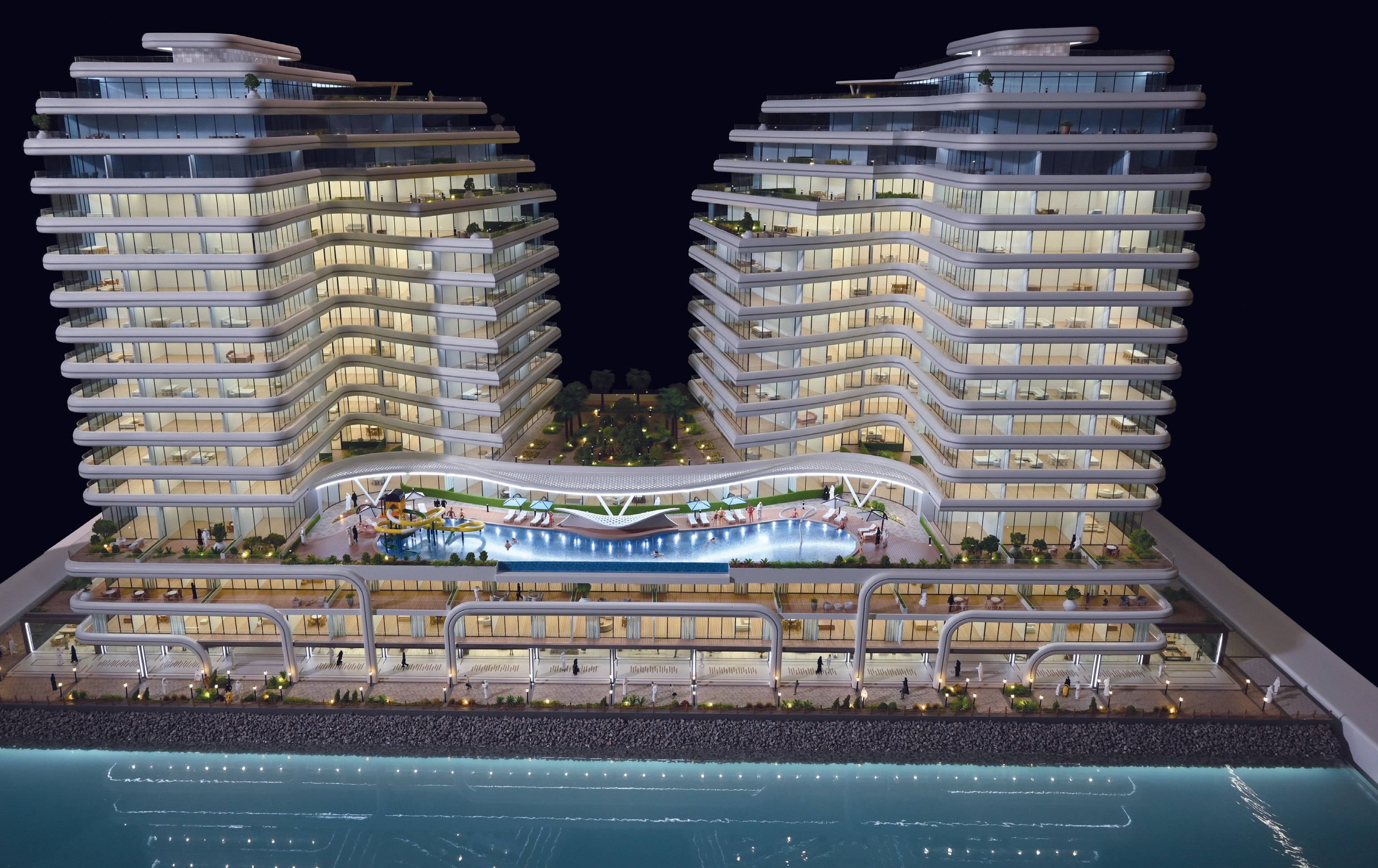
Models used in multi-city sales tours need to be durable and easy to set up. Modular packaging, stable LED systems, and protected control equipment help maintain interactive functions across repeated transportation and installation cycles.
Comparison Table: Interactive Options at a Glance
| Interactive Option | Function | Best Display Scenario | Key Planning Consideration |
|---|---|---|---|
| Touch Control | Viewer-triggered responses through a touch panel | Sales centers, showrooms, exhibition booths with independent exploration | Interface should match real presentation questions; panel placement should be intuitive |
| Phased Lighting | Sequential LED illumination matching project phases | Multi-phase residential, commercial, or urban planning projects | Lighting program must match confirmed phase boundaries in project drawings |
| Area Highlighting | LED zones that direct attention to specific model areas | Projects with signature buildings, landscape features, or key selling points | LED zoning should be defined according to confirmed presentation priorities |
| Multimedia Linkage | Synchronized digital content (video, audio, projection) with the physical model | Museums, exhibition halls, investor presentations, corporate showrooms | Integration with external displays must be planned during model design |
These options are not mutually exclusive. A single window display model can combine touch control with area highlighting, or phased lighting with multimedia linkage, depending on the project's needs. The right combination depends on the display scenario and the project's communication goals.
Frequently Asked Questions
JYD Models works with MOQ of 1 unit. Delivery terms include EXW Shenzhen, FOB Shenzhen, or international shipping by sea/air freight arranged according to project size, model structure, packaging requirements, and destination. Final delivery terms are confirmed in the quotation and contract. Acceptance is based on confirmed drawings, model scale, model size, facade details, landscape details, lighting requirements, and final client approval. JYD Models can provide progress photos or videos during production, lighting system testing, final inspection before packaging and shipment, and packaging confirmation before delivery.
JYD Models offers four interactive options: touch control, phased lighting, area highlighting, and multimedia linkage. The company customizes LED lighting for buildings, roads, landscape, and zoning display. Model scales range from 1:50 to 1:500, and materials include acrylic, ABS, PVC board, resin, wood, metal, and transparent sheet. Interactive functions are planned according to the project's display purpose, viewing conditions, and long-term use requirements.
Start by defining what the model needs to communicate and who will view it. A sales center model that supports staff-led presentations may need touch control and area highlighting. An exhibition model that must attract independent visitors may need phased lighting or multimedia linkage. The interactive scope should be confirmed before production, because touch panels, LED zones, and multimedia integration affect model structure, wiring, and base design. Planning these elements early helps avoid late-stage adjustments.
Buyers typically need to provide CAD drawings, renderings, master plans, elevation drawings, landscape plans, and display requirements. For interactive models, buyers should also specify the desired interactive options, lighting zones, phasing sequence, and any multimedia content requirements. Providing complete files and clear presentation goals during the review stage helps JYD Models prepare an accurate technical proposal and confirm the model scale, display dimensions, and interactive configuration.
Large or fragile models can be packed in modular wooden cases for safer long-distance or international shipment. Modular packaging supports repeated transportation and installation, which is important for multi-city sales tours. JYD Models provides packaging confirmation before delivery and can coordinate shipping by sea or air freight according to the project's destination and schedule. For models with interactive functions, control equipment and wiring are protected within the packaging design to reduce transport risk.
To discuss interactive options for a specific project, you can contact JYD Models on WhatsApp or email fordyang@jydmodels.com.
Planning a custom window display model with interactive functions?
JYD Models provides customized architectural scale models with touch control, phased lighting, area highlighting, and multimedia linkage. Scale range: 1:50 to 1:500. Materials: acrylic, ABS, PVC board, resin, wood, metal, and transparent sheet.
Download the JYD Models catalog or send your project requirements on WhatsApp.
Conclusion: Choosing Interactive Options for Long-Term Display Value
Interactive window display model options — touch control, phased lighting, area highlighting, and multimedia linkage — each serve different presentation goals. Touch control supports guided exploration. Phased lighting explains project development sequence. Area highlighting focuses attention on key zones. Multimedia linkage connects the physical model to digital content. The right choice depends on the display scenario, audience needs, and the project's long-term communication requirements.
For buyers planning a customized model, the key is to confirm interactive requirements before production begins. This ensures that LED zones, control systems, and multimedia integration are designed into the model structure rather than added later. JYD Models, established in 2013 in Shenzhen, operates a 4,000 m² factory with over 200 employees, including a 12-engineer R&D team, and produces approximately 1,000 units annually. The company serves clients in markets including the EU, Saudi Arabia, Vietnam, India, Southeast Asia, China, Africa, the Middle East, Qatar, and the UAE.
For projects that require long-term display performance, the combination of stable LED systems, modular packaging, and planned interactive functions can extend the model's useful life and support repeated presentations across sales, exhibition, and showroom environments.
Have Questions or Need More Details?
Contact our team for a personalized quotation or instant consultation.
Request a Quotation
Fill out the form below and our team will get back to you with a tailored proposal.
WhatsApp Direct Chat
Prefer to chat in real-time? Message us on WhatsApp for instant assistance & quick answers.
- Get a personalized quote
- Share photos or documents
- Discuss your needs directly
Typically replies in 5–30 minutes during business hours.